
Reinforcement
Place and manage reinforcement bars using edge patterns, perimeter patterns, individual placement, bar wrap, and cell-tie tools. Covers cell decomposition for concave sections, D'Hondt count allocation, and the lateral-restraint check.
Overview
Reinforcement placement is central to concrete section design. ACS provides five longitudinal placement tools and two transverse tools for positioning bars and fitments within the section.
Bars are placed at their centre coordinates, and cover is measured from the nearest section edge to the outer surface of the outermost bar (including stirrup diameter). All bar positions are measured from the section coordinate origin in millimetres.
The toolbar groups tools by role:
| Group | Tools |
|---|---|
| General | Select |
| Longitudinal | Edge pattern, Perimeter pattern, Place bar (individual) |
| Transverse | Bar wrap, Cell tie |
Cell decomposition
Concave sections — L-shapes, T-shapes, U-shapes, and any outline with re-entrant corners — cannot be handled by a single perimeter loop. ACS automatically decomposes the section outline into convex cells using a convex decomposition algorithm. Each cell is a convex polygon whose faces map to edges of the section outline or to internal cut lines.
Cell decomposition runs automatically whenever the section outline changes. You do not need to trigger it manually. The decomposition result is used by:
- Perimeter pattern — bars can target the whole section (distributed across all cells) or a specific cell
- Cell tie — places a closed hoop exactly around one cell
- Place bar (individual) — cell picker appears for concave sections so placement targets the intended corner or face
For a convex section (rectangle, circle, regular polygon) the decomposition produces a single cell, so no cell-specific controls appear in dialogs.
Fillet-corner sections: Sections with fillet (rounded) corners — generated by the geometry editor’s fillet tool — are handled as ordinary curved outlines. The arc vertices describing each rounded corner are preserved through decomposition, so bar placement tools that target corners or faces correctly identify and follow the filleted geometry. Bars placed at a filleted corner are anchored to the arc’s nearest endpoint rather than to a sharp vertex, ensuring they move consistently when the fillet radius is adjusted.
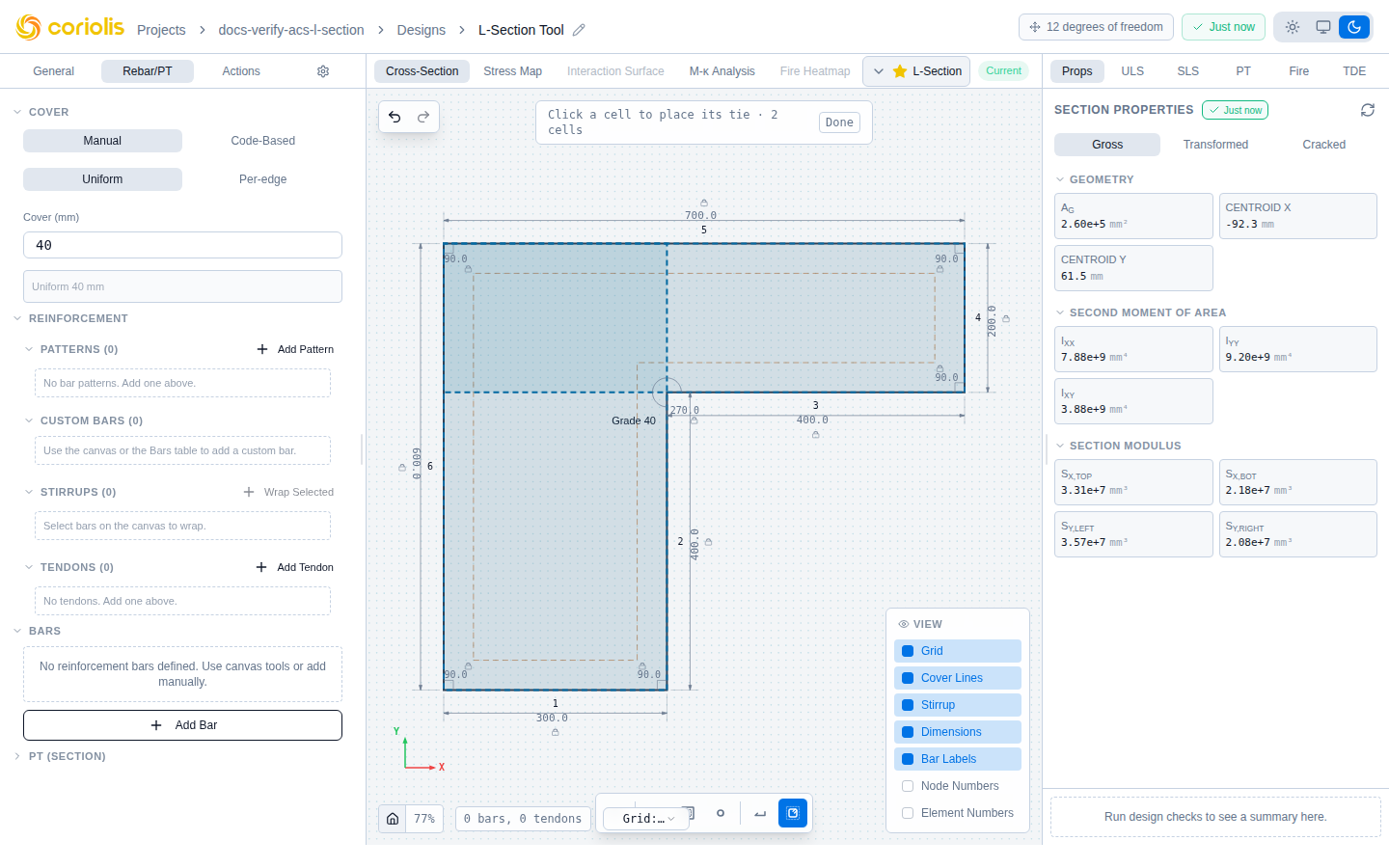
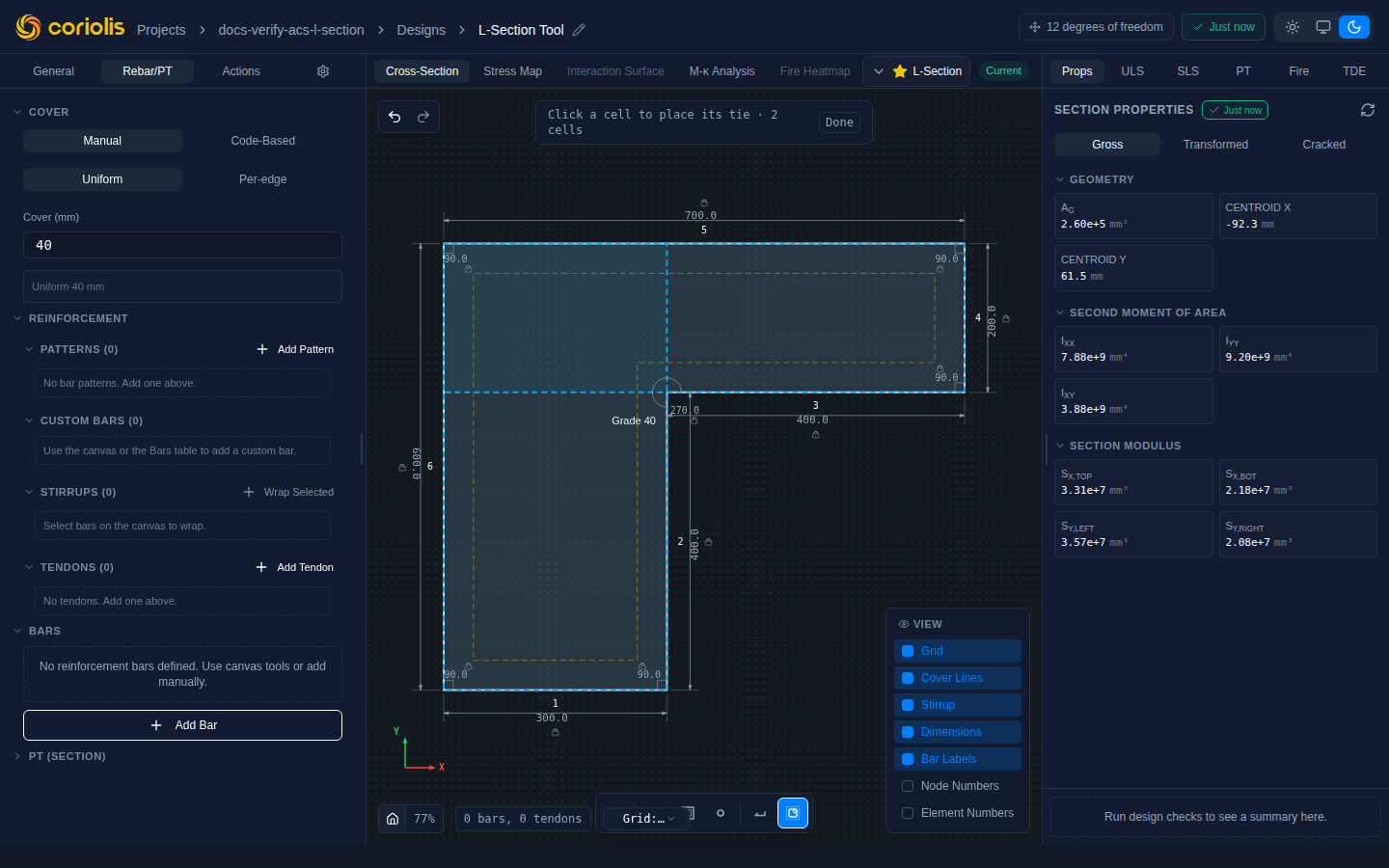
Placement tools
The reinforcement toolbar appears above the canvas when the Reinforcement tab is active. Select a tool, then interact with the canvas to place bars.
Select tool
Click any bar to select it. Selected bars display their coordinates, diameter, and grade. Press Delete or Backspace to remove the selected bar. Drag a selected bar to reposition it (snaps to grid).
Edge pattern
Distribute bars evenly along a single edge of the section outline.
| Input | Description | Units |
|---|---|---|
| Edge | Which edge to place bars along | — |
| Number of bars | Total bars along the edge | — |
| Bar diameter | Nominal bar size | mm |
| Grade | Reinforcement grade | — |
| Offset | Distance from edge to bar centres | mm |
The offset is typically the cover plus stirrup diameter plus half the bar diameter. ACS computes this automatically from your cover settings.
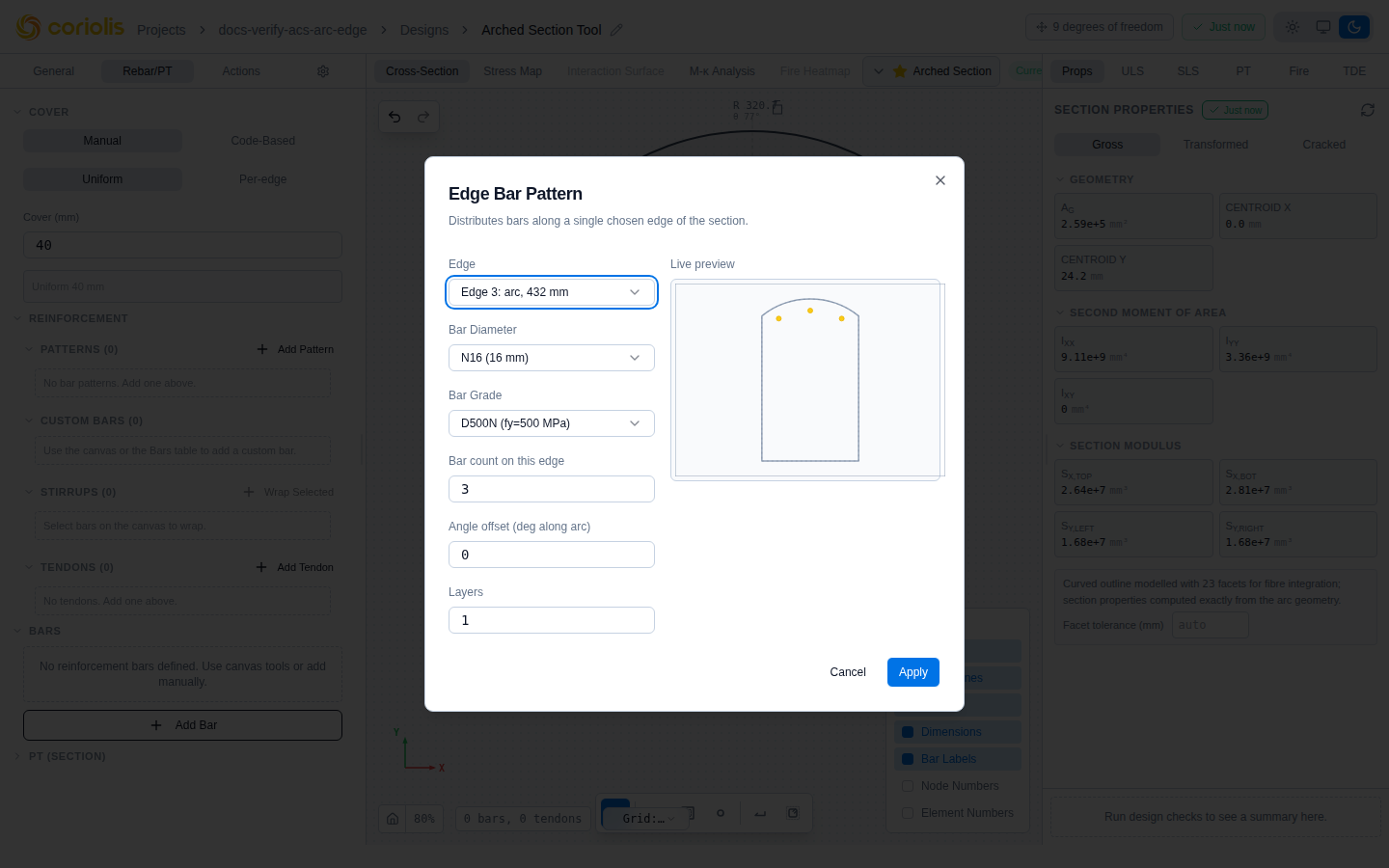
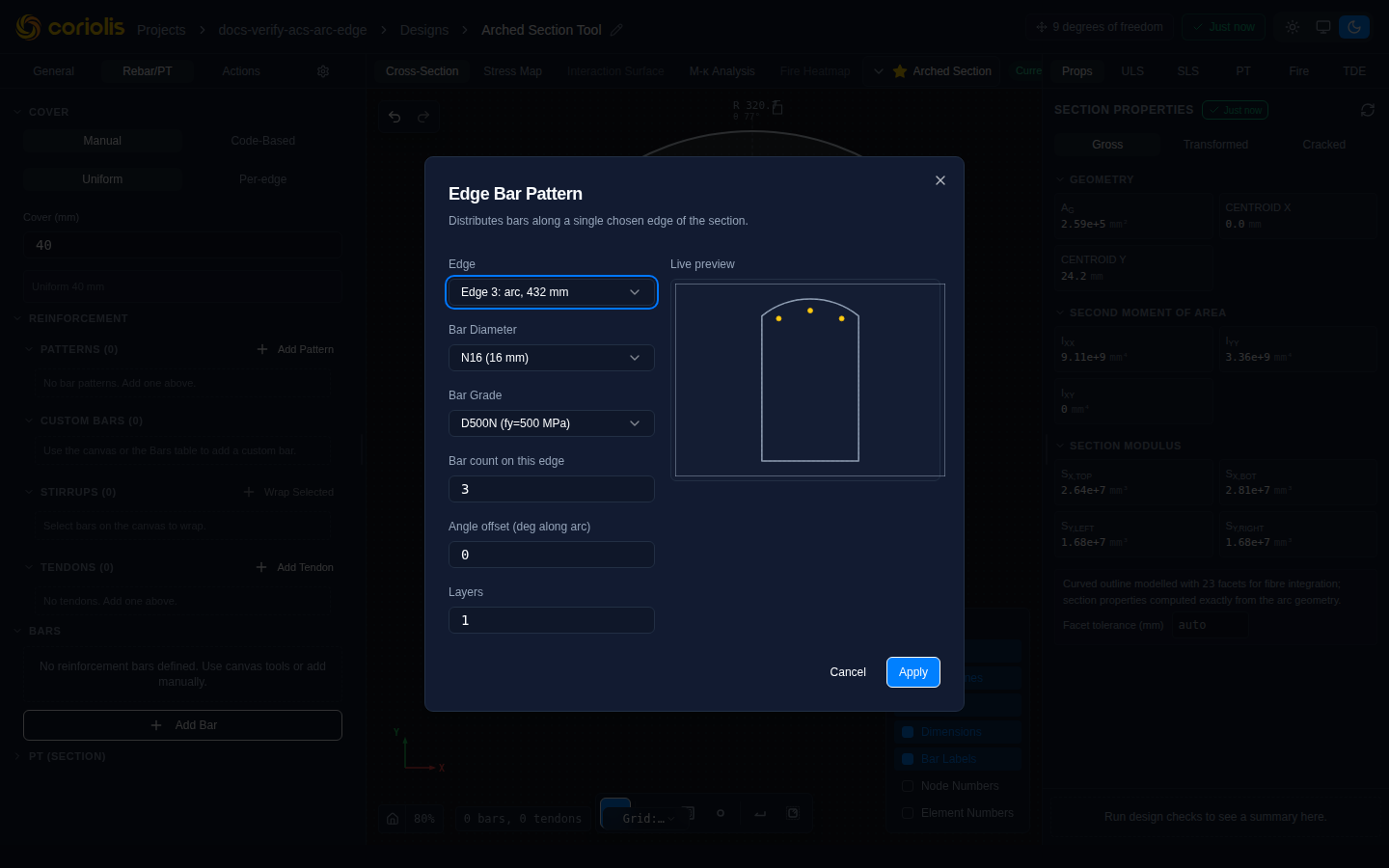
The edge selector lists each edge with its length and geometry type. Straight edges show which face they are (e.g., “Edge 2: bottom face, 400 mm”) while curved (arc) edges show their arc length (e.g., “Edge 1: arc, 628 mm”).
Edges are numbered from 1, matching the E1, E2, … labels the canvas draws when Element numbers is enabled — so the edge you read off the drawing is the edge you select here. When you target a single cell of a concave section instead of the whole outline, the selector lists that cell’s faces (“Face 1”, “Face 2”, …); a cell’s face numbering is local to that cell and does not correspond to the canvas edge numbers.
Arc edges — angle offset
When the selected edge is a curved arc (as on a circular column or curved haunch), bars are spaced by arc length rather than chord length, so the spacing is uniform around the curve. An additional Angle offset (deg along arc) input appears for arc edges:
| Input | Description | Units |
|---|---|---|
| Angle offset | Rotates bar placement along the arc from the default start position | degrees |
A positive angle offset shifts the bar group counter-clockwise around the arc centre. Use this to avoid placing the first or last bar too close to the arc–straight junction.
Perimeter pattern
Place bars around the perimeter of the section at a uniform offset from the outline. Commonly used for column reinforcement.
Count modes
ACS provides three ways to specify how many bars to place:
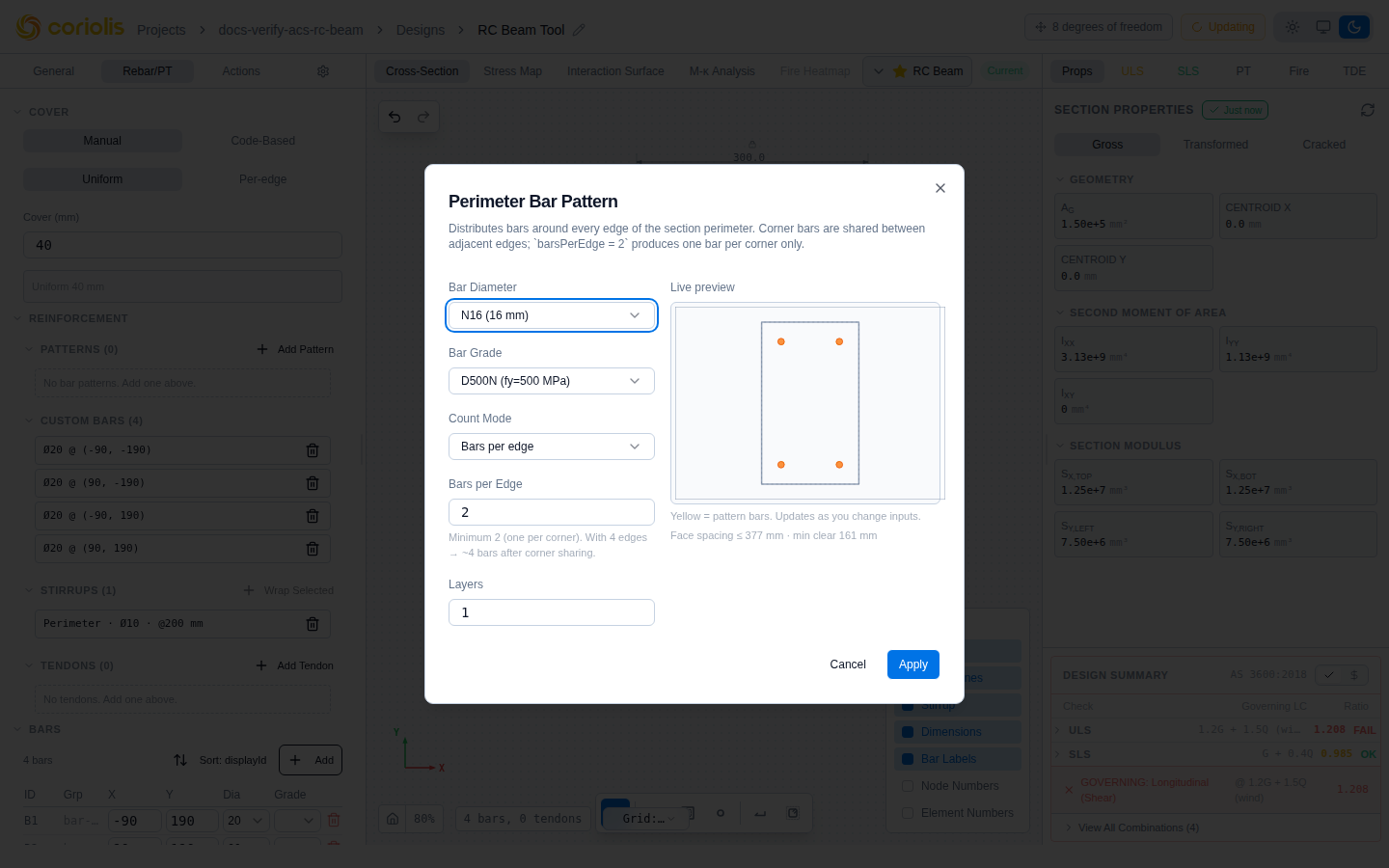
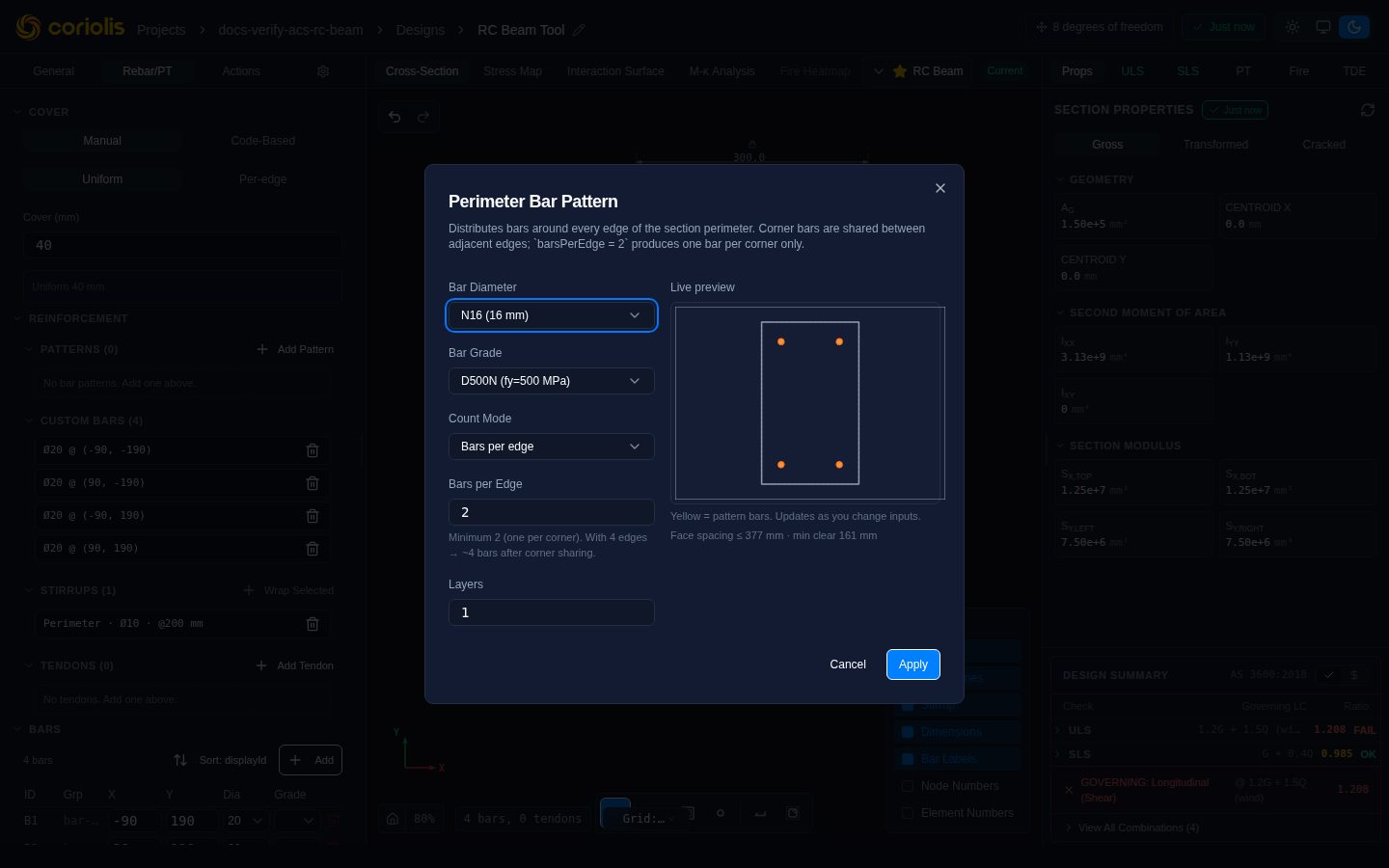
Per edge (legacy default) — specify how many bars appear along each straight face. Corner bars are shared between adjacent faces. This mode maps directly to the original bars-per-edge behaviour and is still available for compatibility.
| Input | Description | Units |
|---|---|---|
| Bars per face | Number of bars along each straight face (excluding shared corners) | — |
| Bar diameter | Nominal bar size | mm |
| Grade | Reinforcement grade | — |
Total count (D’Hondt allocation) — specify a total bar count and let ACS distribute bars proportionally across the perimeter faces. Distribution uses D’Hondt proportional allocation (the same algorithm used in proportional-representation elections), which minimises the deviation between a face’s share of the perimeter and its share of the bar count. Longer faces receive more bars; no face receives fewer than its minimum geometric allocation.
| Input | Description | Units |
|---|---|---|
| Total bars | Total bars across the whole perimeter | — |
| Bar diameter | Nominal bar size | mm |
| Grade | Reinforcement grade | — |
Spacing — specify a target centre-to-centre spacing and ACS calculates the count per face. The minimum clear spacing between bars is enforced at max(d_bar, 25 mm) — if the requested spacing would produce a clear gap below this limit, ACS refuses to place bars rather than silently over-packing the face.
| Input | Description | Units |
|---|---|---|
| Target spacing | Desired centre-to-centre distance | mm |
| Bar diameter | Nominal bar size | mm |
| Grade | Reinforcement grade | — |
Concave sections and cell targeting
For concave sections, the perimeter pattern uses a cell-based algorithm to place bars along the actual section perimeter, including re-entrant corners. Bars follow the true outline of each convex cell rather than a bounding-box approximation, so they sit correctly on faces that fold inward at re-entrant corners of L-, T-, and U-shaped sections.
The pattern can distribute across all cells (the default) or target a specific cell. Use Total count mode when distributing across multiple cells so the D’Hondt allocator balances the count proportionally across each cell’s perimeter length.
A cell selector appears in the dialog when the section has more than one cell.
Circular and curved sections
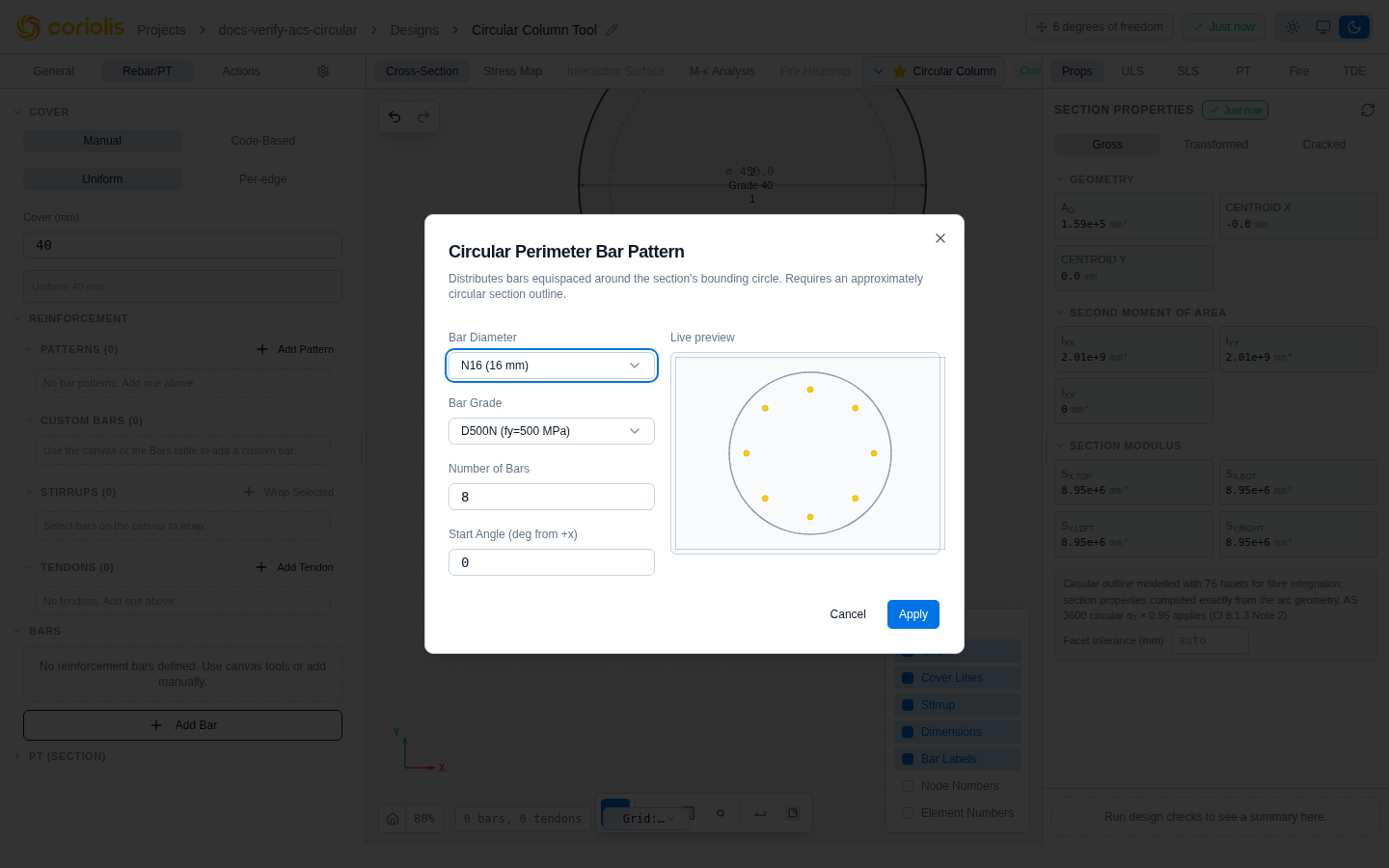
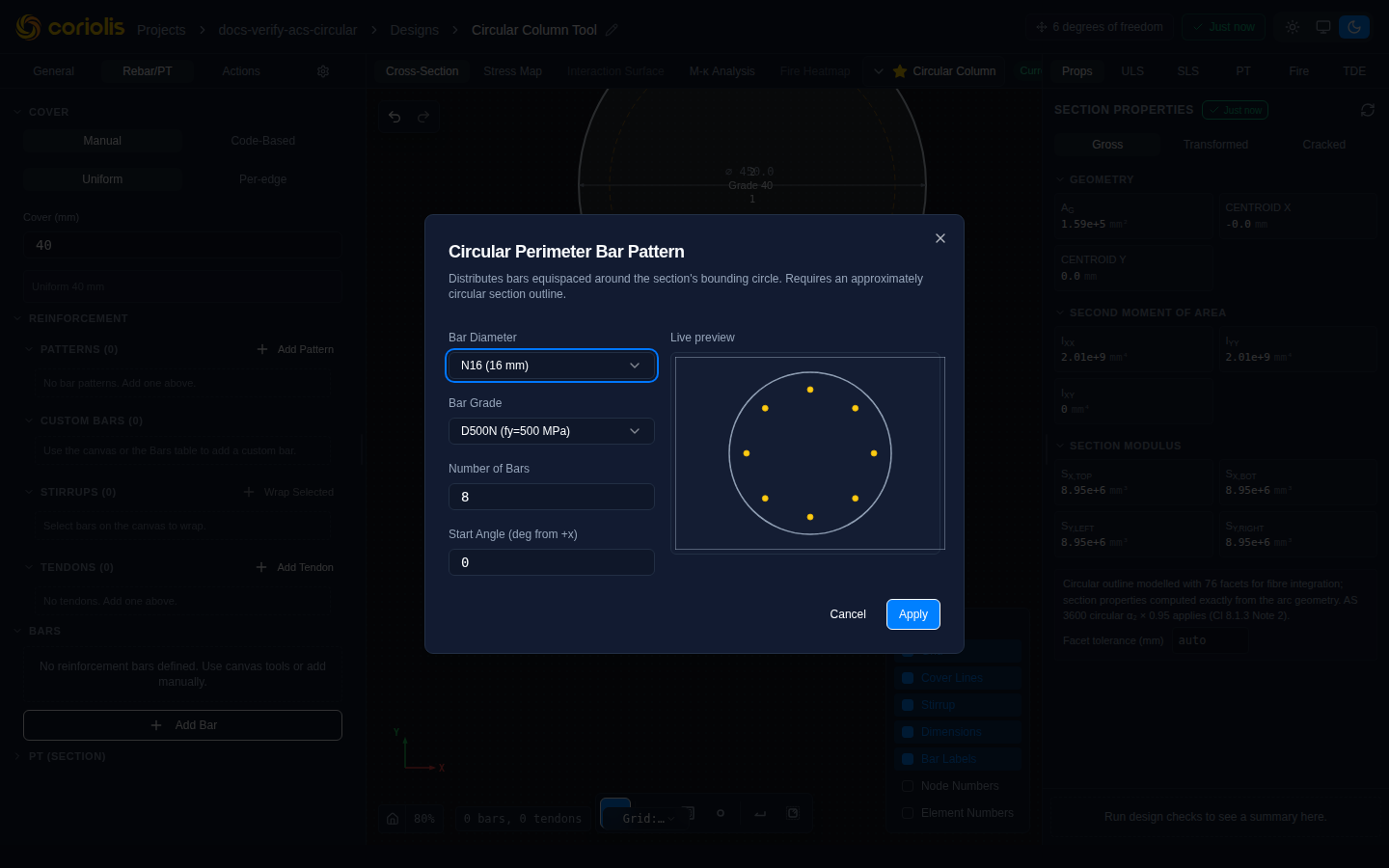
When the active section is circular (or close to circular), the perimeter pattern dialog automatically adapts to place bars equi-angularly around the circular outline. The adapted inputs are:
| Input | Description | Units |
|---|---|---|
| Number of bars | Total bars uniformly spaced around the circle (minimum 3) | — |
| Start angle | Angle of the first bar measured from the positive X-axis (CCW positive) | degrees |
| Bar diameter | Nominal bar size | mm |
| Grade | Reinforcement grade | — |
Bars are placed at radius:
where is the section radius, is the nominal cover, is the stirrup bar diameter (or zero if no stirrups are defined), and is the longitudinal bar diameter.
The start angle defaults to 0° (first bar at the rightmost point). Adjust it to control where bars begin around the circumference — for example, setting 90° places the first bar at the top of the column.
Place bar (individual)
Place a single bar at an anchored position within the section. Individual bars are tied to a section feature — a corner or a face — rather than raw coordinates, so they move correctly when the section geometry changes.
Select a placement kind:
Corner — the bar is anchored to the inside corner of a specific cell corner. The corner picker lists available corners with their cell. At reflex (inward-pointing) vertices of concave sections — inside corners where the section outline turns through more than 180° — bars are placed so their centroid stays inside the section boundary; the cover offset is measured from the enclosing edges rather than from the corner tip.
Edge ratio — the bar is placed at a fractional position along a face of the outline (0 = start vertex, 1 = end vertex). Use this for bars at a fixed proportional offset along a long face.
Edge distance — the bar is placed at a measured distance (mm along the face) from the start vertex of a chosen face.
For concave sections a cell picker appears first. Select the cell containing the corner or face you want to target, then choose the specific corner or face from the lists that update to show only targets within that cell.
A live preview in the canvas updates as you change inputs so you can verify position before confirming.
| Input (corner) | Description |
|---|---|
| Cell | Target cell (concave sections only) |
| Corner | Which inside corner |
| Bar diameter | Nominal bar size |
| Grade | Reinforcement grade |
| Input (face ratio / face distance) | Description |
|---|---|
| Cell | Target cell (concave sections only) |
| Face | Which outline face |
| Ratio (0–1) or distance (mm) | Position along the face |
| Bar diameter | Nominal bar size |
| Grade | Reinforcement grade |
Placement on curved faces
When the selected face is a curved arc (circular column flute, fillet corner, or arched wall face), the face ratio and face distance placement kinds measure position along the arc length rather than the chord. The bar is placed normal-inset from the arc at the resolved arc-length position, so cover is measured perpendicularly to the curved surface.
For a bar placed at arc length position on an arc of radius and half-angle , the Cartesian position is derived from the arc parametrisation:
Where is the effective cover offset and is the arc centre.
The live preview updates as you adjust the ratio or distance, so you can confirm the bar lands at the intended face position before placing.
Bar wrap
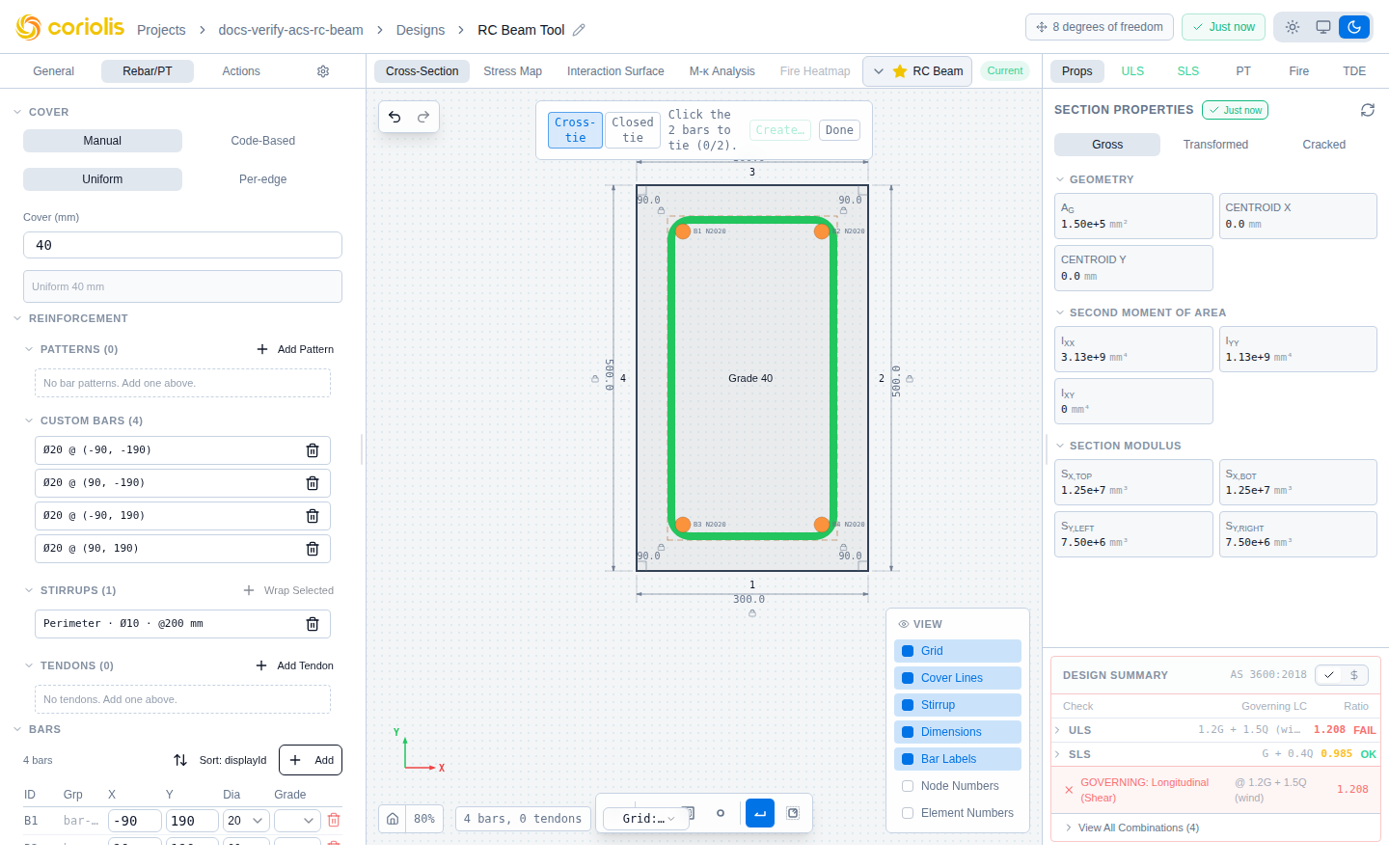
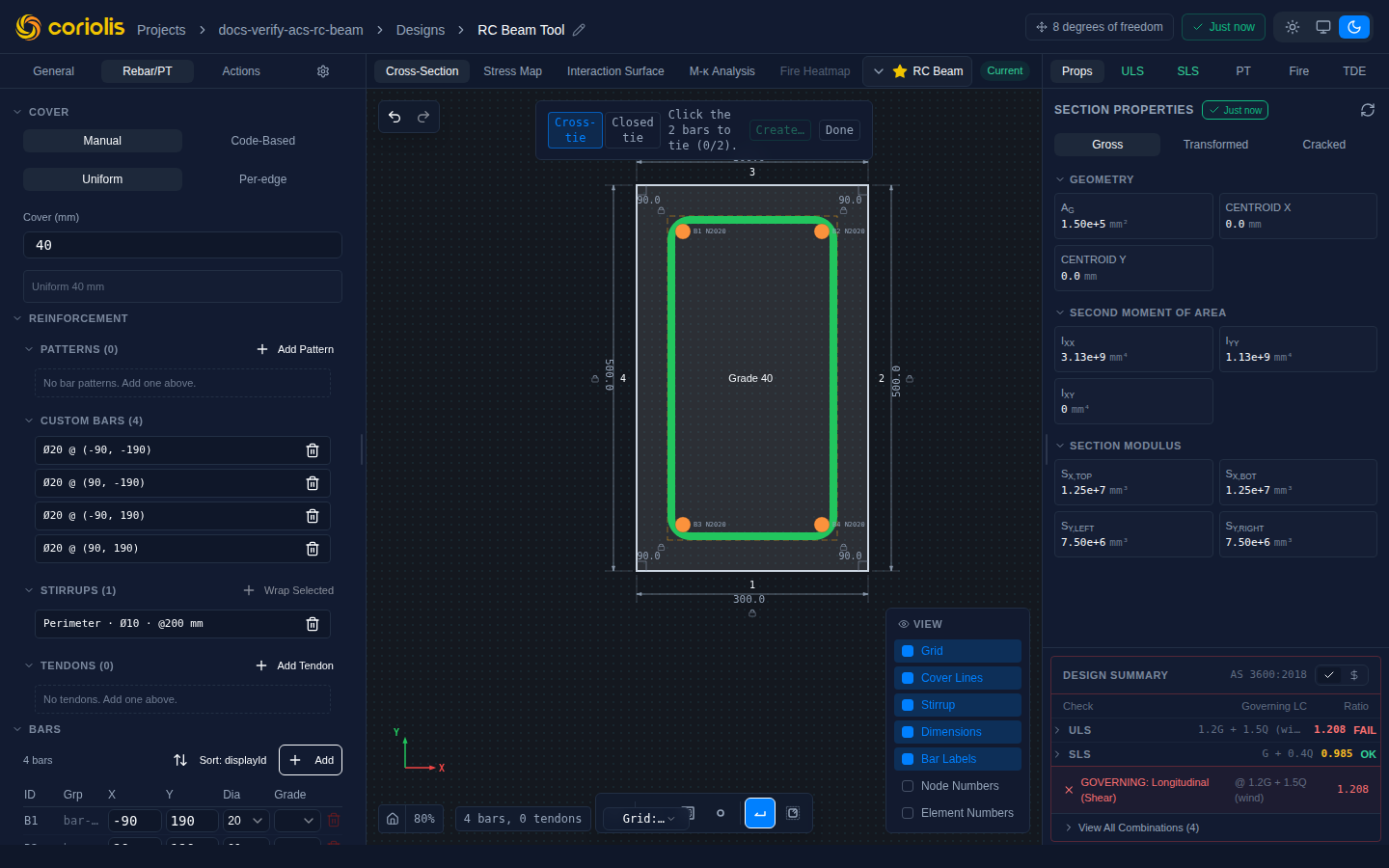
Bar wrap is a kind-first transverse tool: you choose the wrap kind before selecting bars, then click bars on the canvas to build the selection.
Two kinds are available:
Cross-tie — a straight bar connecting exactly two bars. Select two longitudinal bars; ACS draws a straight stirrup between them with standard hook ends.
Closed tie — a closed polygonal loop around three or more bars. Select three or more longitudinal bars in order; ACS traces a closed tie around the selection.
The canvas shows a running count and a hint (“select 1 more bar” / “ready — click to confirm”) as you build the selection. Click Apply (or press Enter) once the count gate is satisfied:
| Kind | Minimum bars | Maximum bars |
|---|---|---|
| Cross-tie | 2 | 2 |
| Closed tie | 3 | unlimited |
The resulting fitment shares the diameter and grade of the current stirrup settings.
Cell tie
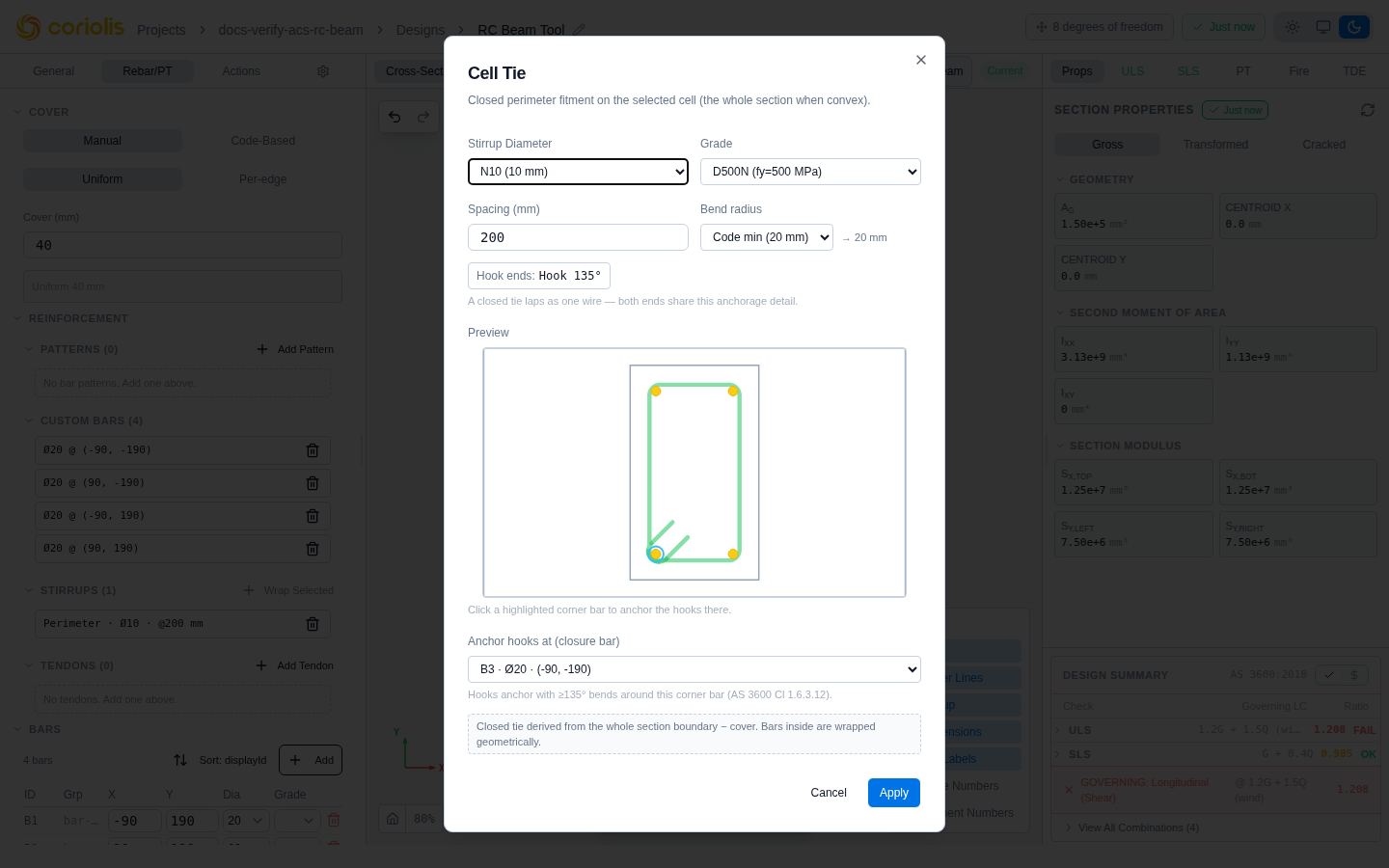
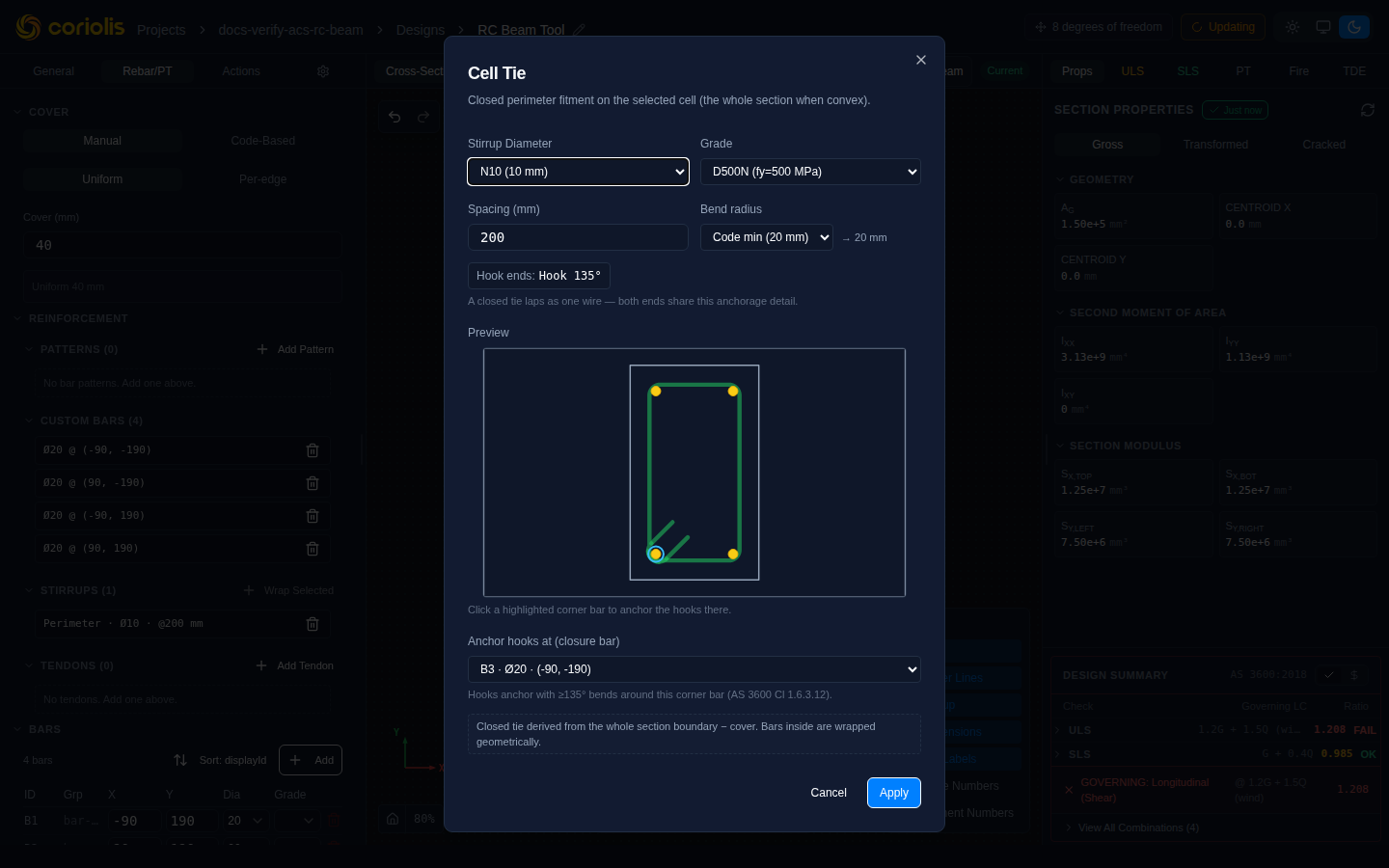
Cell tie places a closed hoop stirrup that exactly encloses one convex cell. The hoop follows the cell boundary at the cover offset.
The dialog behaviour depends on the section shape:
- Convex section (one cell) — a dialog opens directly. A live preview on the canvas immediately shows the hoop at the cover offset around the cell boundary. Confirm to place the hoop.
- Concave section (multiple cells) — a canvas overlay appears highlighting each cell. Click a cell to select it; the live preview updates to show the hoop for the selected cell. Confirm to place.
- Refused — if the decomposition failed for the section (for example, a degenerate outline), the tool shows an error message and cannot place a hoop.
- Ring tie bends refused — for cell ties around circular or curved cells, the hoop includes standard hook bends at the splice point. If the bend geometry cannot fit within the section at the current cover and bar size — for example, when the arc radius is too small relative to the hook extension — ACS refuses the placement and shows a message identifying the conflicting bend. Reduce the bar diameter or adjust the cover and retry.
Closure bar: The cell tie dialog includes an optional Add closure bar toggle. When enabled, a single longitudinal bar is placed at the splice/closure corner of the hoop at the same cover offset. This is useful for detailing the lap-splice end of a hoop without manually adding an individual bar.
Cover violation disclosure: When any portion of the generated hoop falls closer to the section outline than the minimum cover setting — which can happen on internal shared faces where the cover boundary of two adjacent cells overlaps — ACS shows an inline warning in the cell tie confirmation dialog. The warning identifies the affected face and the minimum clear distance achieved. You can accept the hoop as-is (for example, when the face is an internal cut line with no concrete cover requirement) or adjust the cover before placing.
Cell tie is the fastest way to add a perimeter stirrup to a column or to individual cells of an L-, T-, or U-section.
Exclusion and override
Pattern-derived bars can be excluded individually or restored after exclusion. This lets you suppress bars that conflict with an opening, penetration, or cover requirement without deleting the whole pattern.
Exclude a bar — in Select mode, right-click a pattern bar and choose Exclude bar from pattern. The bar is removed from the canvas. The pattern itself remains and can still produce other bars; only this bar index is suppressed.
Restore a bar — the sidebar shows an Excluded bars section under each pattern that has at least one exclusion. Click Restore next to an individual bar to re-include it, or Restore all to clear all exclusions for that pattern.
Override position — drag a pattern bar to a new position. The bar detaches from the pattern rule at that index and holds its new position independently. The pattern continues to generate other bars at their computed positions.
Explode to bars — converts a pattern entirely to individual custom bars. This is a one-way operation: exploded bars lose their pattern association and cannot be restored to pattern control. Use this only when the pattern logic is no longer useful and you need full manual control.
Bar table
The bar table in the left panel lists every bar in the section with sortable columns:
| Column | Description | Editable |
|---|---|---|
| ID | Sequential bar identifier | No |
| Group | Placement group (edge, perimeter, individual, etc.) | No |
| X | Horizontal position (mm) | Yes |
| Y | Vertical position (mm) | Yes |
| Diameter | Bar size (mm) | Yes |
| Grade | Steel grade label | Yes |
Click a row to select the bar on the canvas. Click again to deselect. Use the Add button to create a bar with default properties, then edit its coordinates inline.
Stirrups
The stirrup panel configures transverse reinforcement for shear capacity calculations.
| Input | Description | Units | Default |
|---|---|---|---|
| Diameter | Stirrup bar size | mm | 10 |
| Number of legs | Vertical legs crossing the shear plane | — | 2 |
| Spacing | Centre-to-centre along the member | mm | 200 |
| Grade | Stirrup steel grade | — | Same as rebar grade |
The panel displays the computed stirrup area:
Where is the cross-sectional area of a single stirrup leg.
Lateral restraint check
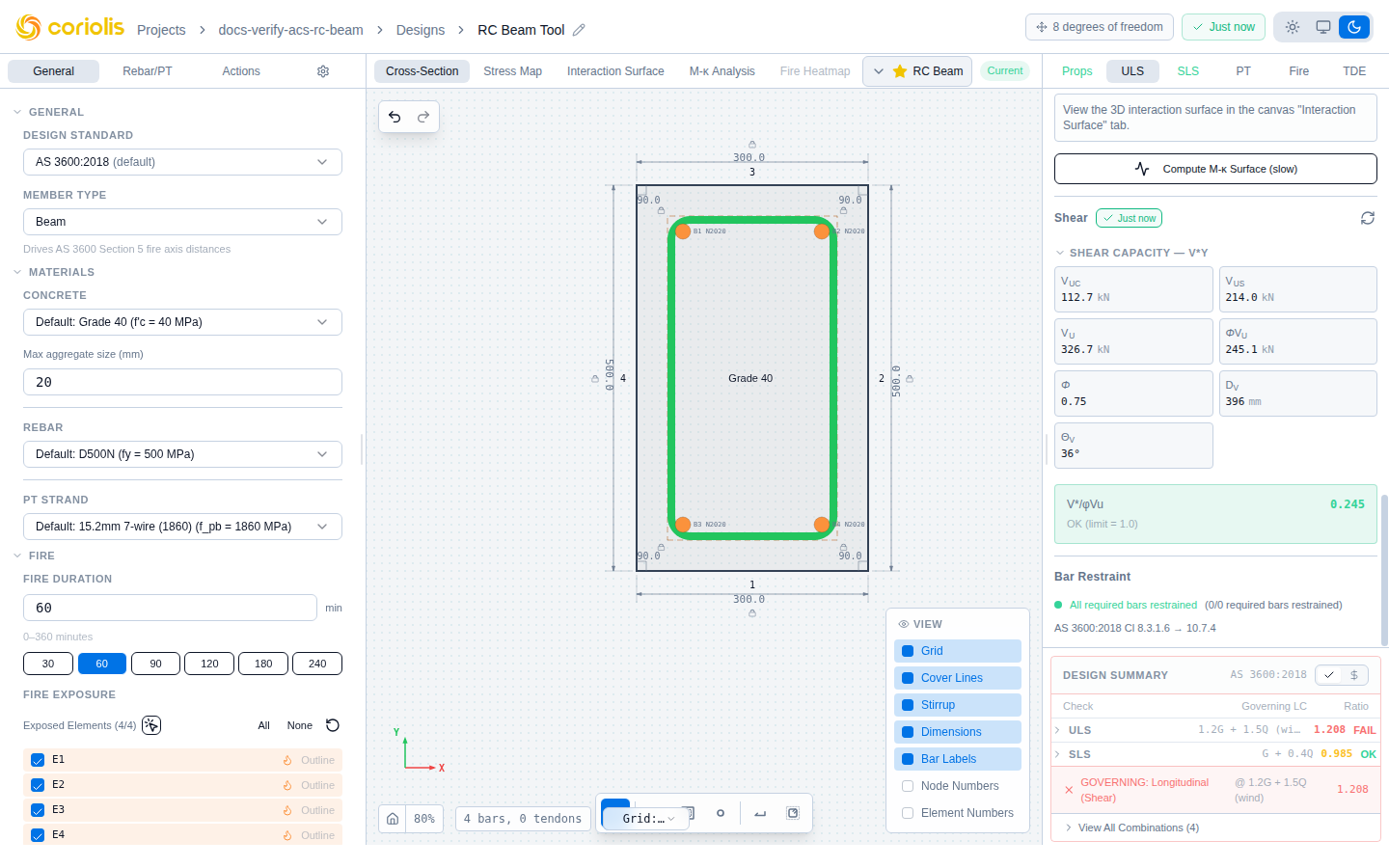
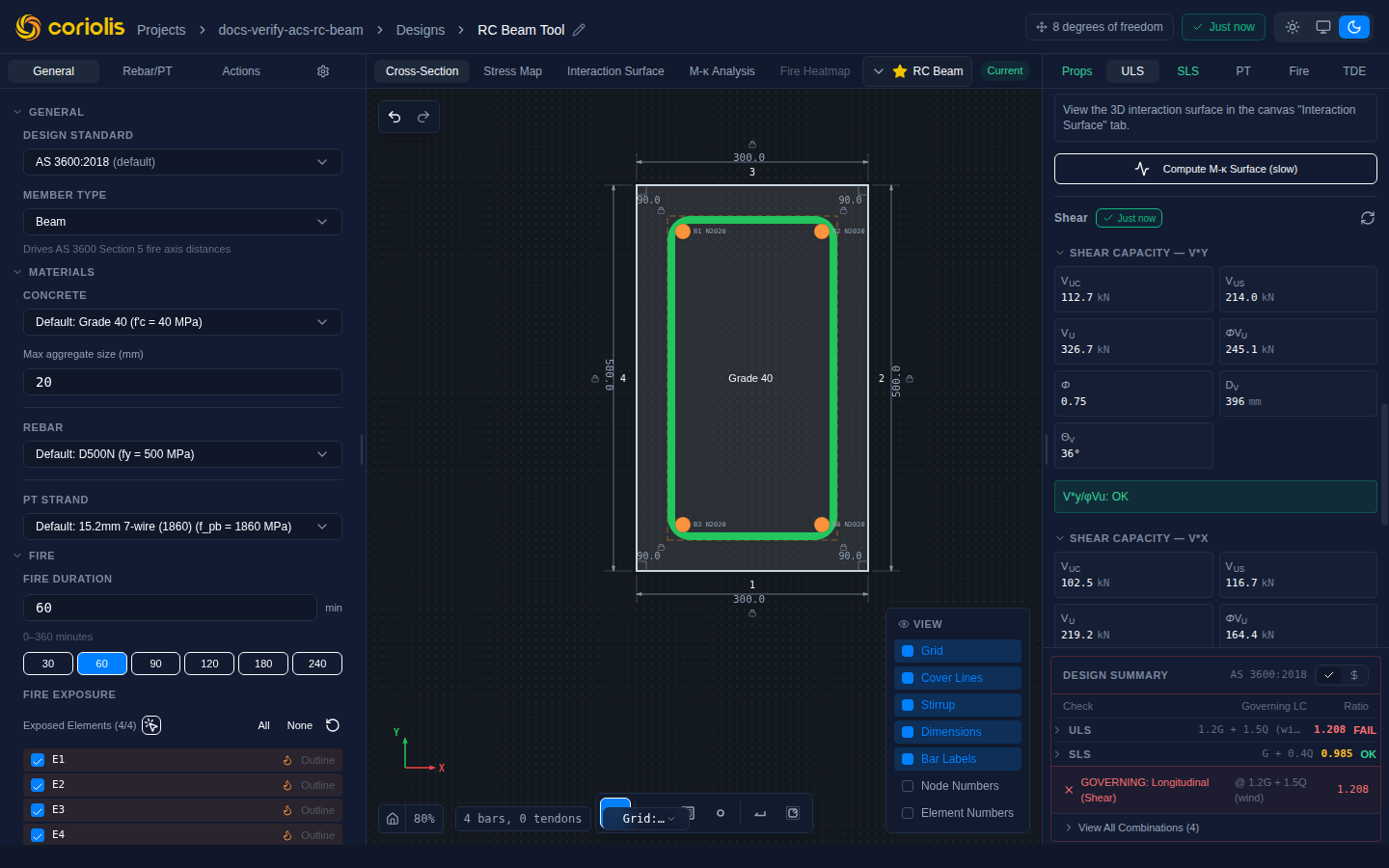
The ULS tab in the right panel includes a Bar Restraint section that checks whether compression bars are adequately restrained against lateral buckling under each ULS load combination.
The check is performed per load combination and reported as an envelope across all combinations:
- A bar is flagged if it is in compression under any ULS combination and is not restrained by a fitment that satisfies the applicable clause.
- The governing combination for each flagged bar is the one that produces the most critical result.
- The envelope is the union of all flagged bars across all combinations.
Applicable clauses by member type (AS 3600):
| Member type | Clause |
|---|---|
| Columns | Cl 10.7.4 |
| Beams | Cl 8.3.1.6 |
| Walls | Cl 11.7.4 |
Flagged bars are highlighted on the canvas with a red halo. The right panel lists each flagged bar by its display ID and the governing combination that produced the flag.
Skip conditions
The restraint check is skipped and the panel shows an explanatory notice when:
- Geometry unavailable — the section outline has not been defined or is invalid.
- Strain unavailable — the ULS analysis has not been run, or no load combinations are defined.
- Wall, high-strength concrete — Cl 11.7.4 restraint for walls is not yet supported for high-strength concrete grades (advisory limitation).
Fitment adequacy
Below the bar restraint list, the Fitment adequacy section checks whether the stirrup configuration satisfies the dimensional limits in AS 3600 Table 10.7.4.3 (columns):
| Check | Limit |
|---|---|
| Fitment spacing | ≤ min(smallest section dimension, 15 × d_b of restrained bar) |
| Fitment diameter | ≥ minimum from Table 10.7.4.3 for the longitudinal bar size |
A separate pass/fail is shown for each check. The governing spacing and diameter from the current stirrup configuration are shown alongside the limits.
Arc-seat tie-bend credit
AS 3600 Table 10.7.4.3 permits a reduction in minimum fitment diameter when the fitment bends tightly around the longitudinal bar corner — the so-called arc-seat tie-bend credit. ACS applies this credit only when the fitment genuinely wraps the bar at the arc seat: the fitment must turn the corner of the bar (i.e., the bar sits in the bend of the fitment), not merely pass alongside it on a straight leg.
In practice this means:
- Corner bars enclosed by a closed hoop or cross-tie whose hook engages the bar corner: credit is applied.
- Intermediate bars restrained by a U-bar or open stirrup whose leg runs past the bar without bending around it: credit is not applied.
If the fitment diameter fails the minimum check only because the arc-seat credit was withheld, ACS displays an explanatory note alongside the fail result. To claim the credit, use a closed hoop or a cross-tie whose standard hook terminates at the bar corner.
Prestressing tendons
For prestressed or post-tensioned sections, add tendons from the PT tab in the right panel:
| Input | Description | Units |
|---|---|---|
| X, Y | Tendon centroid position | mm |
| Strand type | 7-wire strand designation (12.7, 15.2, 15.7 mm) | — |
| Number of strands | Strands in the tendon | — |
| Initial stress | Jacking stress () | MPa |
| Bond type | Bonded or unbonded | — |
See Section analysis for details on prestress loss calculations and ultimate capacity checks.
Tips and best practices
- Use the cover outline display toggle to verify that bars are placed within the allowable zone
- For circular columns, use the Perimeter pattern tool — it adapts automatically to a circular bar ring at the correct cover inset radius
- For concave sections (L, T, U shapes), use Total count mode in the perimeter pattern — D’Hondt allocation distributes bars proportionally across all cells
- For arc edges on non-circular sections, use the Edge pattern and adjust the Angle offset to prevent bars from crowding the arc endpoints
- Use Bar wrap for cross-ties and closed ties around specific bar groups; use Cell tie for a full perimeter hoop around a convex cell
- Individual bars placed with corner or face anchoring move correctly when the section outline changes — prefer anchored placement over manually editing bar coordinates
- Use Exclude (right-click) to suppress individual pattern bars around openings or penetrations without disrupting the rest of the pattern
- Check the Bar Restraint panel under ULS after placing reinforcement — flagged bars require additional fitments or modified bar positions
- Hover a row in the Cover panel to highlight the corresponding bar on the canvas and scroll it into view — useful for identifying which bar controls the governing cover
- Check minimum and maximum reinforcement ratios after placing bars — the design summary flags violations
Related pages
- Section geometry — defining the concrete outline
- Materials — concrete and steel material properties
- Section analysis — running ULS and SLS checks